
So you just sold your awesome slime or cool comic collection on Daraz! That’s fantastic! But how do you get your creation safely from your hands to your happy customer?
Don’t worry, this guide will be like your personal superhero, showing you exactly what to do to fulfill your Daraz order and become a super seller.
How to Ready Your Orders for Shipping on Daraz
As a new seller on Daraz, you need to follow specific procedures to prepare your orders for shipping. This includes printing important shipping information. This guide will walk you through the steps to efficiently RTS (Ready to Ship) your orders.
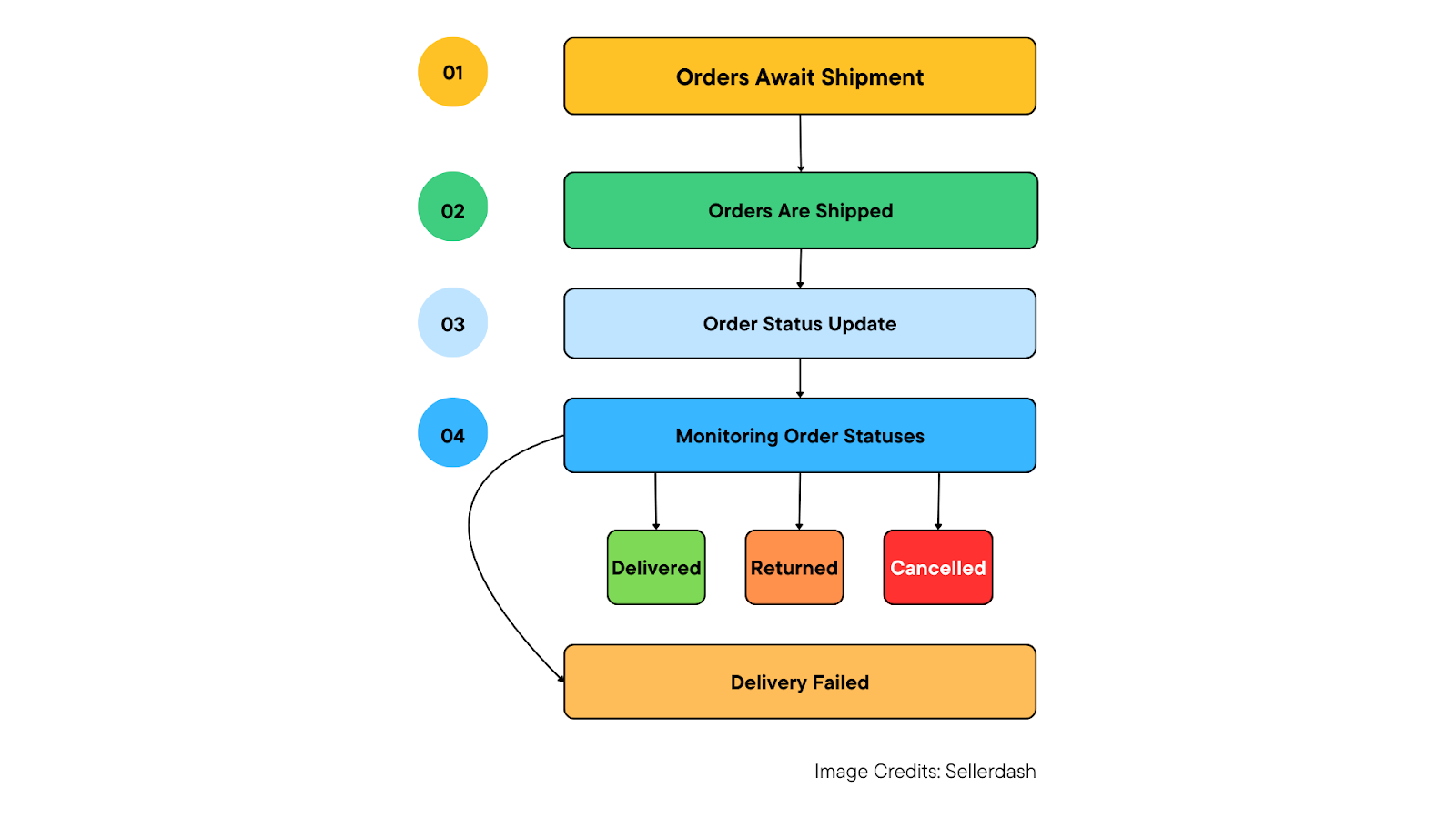
Orders Await Shipment: The process starts with the seller acknowledging a catalog of pending orders.
Orders Are Shipped: The seller proceeds to “Ready to Ship” the orders according to a predetermined service level agreement (SLA). An SLA sets the timeframe within which a service is expected to be delivered.
Order Status Update: Once the seller dispatches the orders, their status is automatically changed to ‘shipped’ in the system.
Monitoring Order Statuses: The seller can subsequently track the progress of these orders by viewing them under their ‘completed’ status. This completed status can include various sub-categories, such as delivered, cancelled, delivery failed, or returned.
Manage Orders
- Log in to the Seller Center with your registered ID and password.

- You can view all pending orders from your main dashboard but to process them, go to the Orders tab and click on Manage Orders.
Key Metrics
- Pending Orders: The number of orders waiting to be processed.
- Ready to Ship: The number of orders that are ready to be shipped.
- Pending Return: The number of orders waiting to be returned.
- New Reviews: The number of new reviews from customers.
- Pending Approval: The number of products waiting for approval to be sold on Daraz
- Online: The number of products that are currently listed for sale.
- Out of Stock: The number of products that are listed for sale but are currently out of stock.
Rejected: The number of products that were submitted for sale but were rejected.
How to Fulfill an Order
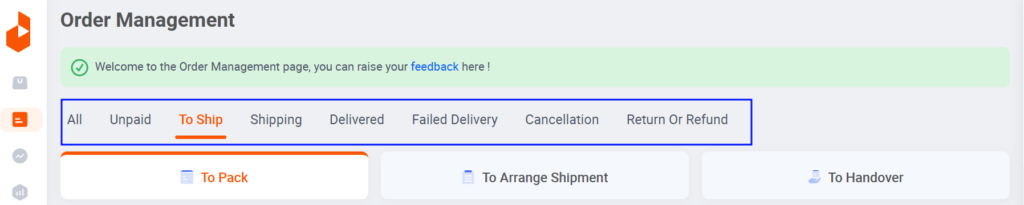
- Click on the ‘Manage Orders’ tab. This will show you a list of your orders.
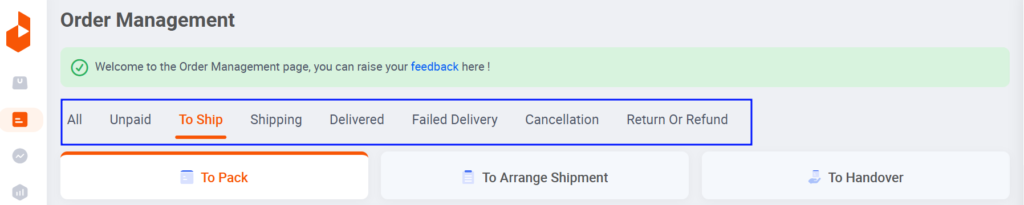
- By default, you’ll land on the ‘Place Order’ tab.
- Click on the plus sign (+) next to the order you want to fulfill. This will reveal more information about the order, including the customer who placed it.
- Once you’ve reviewed the order details, click on ‘Ready to Ship’. This will initiate the shipping process for the order.
- When you receive a new order, a pop-up window will appear showing the order number, items, provider, tracking ID, and invoice number. Click on “Save invoice ID“.
- Click on “All documents” to access printable materials needed for packaging and delivery. These documents may include the invoice and shipping label.
- Double-check all documents before printing them out. There are three main documents you’ll need:
- Carrier manifest: This may be used as a record when you receive an order.
- Shipping label: This needs to be attached to the outside of the package you’re sending.
- Customer invoice: This should be placed inside the package with the order.
- Once you’ve verified that everything is correct, you can print the documents.
Here are the next steps to fulfill an order.
- Enter the order number.
- Enter the shipping address.
- Once you’ve entered all the shipping information, click “Ready to Ship”.
- A pop-up window will appear. Close it.
- The invoice ID is now saved.
- The order details are listed, including a tracking number.
The shipper can also change the shipping options and add labels to the documents.
How to Pack and Ship Your Daraz Orders
Pack the product in Daraz packaging material with all necessary printables. This includes using the correct sized box and any fragile or hazardous materials stickers that might be required.
Follow all packaging guidelines and protocols. Following these guidelines will help to avoid returns from customers due to damaged or improperly packaged items.
Once the order has been picked up by the rider, it will appear under the “Shipped” section in your “Manage Orders” tab. This will allow you to track the order and see when it is delivered to the customer.
Overall, fulfilling an order on Daraz involves following their packaging guidelines, using the right packaging materials, and ensuring the order gets picked up for shipment.