
For any Daraz seller, understanding the order fulfillment process is crucial for smooth operations and customer satisfaction. Through this article you will learn how Daraz order fulfilment processes.
Order Fulfilment Process
How To Fulfil an order?
Log in to the Seller Center with your registered ID and password.

You can view all pending orders from your main dashboard but to process them, go to the Orders tab, and click on Manage Orders.
- Click on the “Manage Orders” tab. This will show you a list of your orders in various statuses.
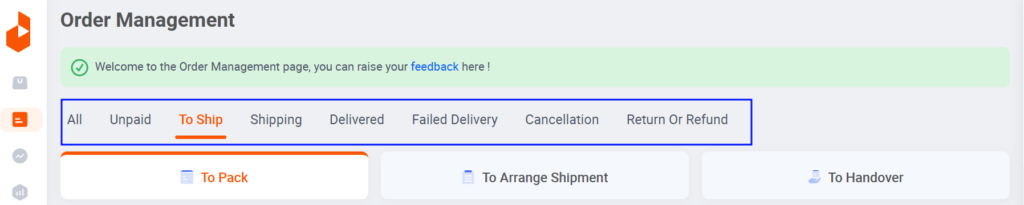
By default, you will land on the “Pending Orders” tab.
- Click on the “+” sign next to an order to see more information about the order and the customer who placed it.
- Once you have reviewed the order details, click on the “Ready to Ship” button. This will let Daraz know that your order is ready to be shipped.
- You will then need to print the invoice and shipping label for the order. The invoice should be placed inside the package, and the shipping label should be attached to the outside of the package.
- Pack the order according to Daraz’s packaging guidelines.
- In a pop-up window, you will see the order number, items, provider, tracking ID, and invoice number. Click on “Save invoice ID“.
- Click on “All documents” for printable materials that are required for order packaging and delivery.
You can also see the order details like provider, tracking ID, drop-off location and due date.
Here are the steps for checking documents before printing:
Verify all documents are correct before printing
- Picklist, which you may see as a receiving document.
- Shipping label, which you need to attach on the outside of the package.
- Customer invoice, which you need to place inside the package.
Click on the “Print” and print out this invoice.
Click on “Ready to Ship” after you’ve verified that all the order details are correct and the invoice has been printed.
The system will then prompt you to close the pop-up window.
You will then see a confirmation screen that the order is ready to be shipped.
8: Pack the product: As soon as you receive confirmation to pack the product, use Daraz packaging material and include all necessary printables.
Follow packaging guidelines: The instructions emphasise that you should follow all packaging guidelines to avoid returns from customers.
Manage orders tab: Once the order has been picked up by the rider, it will show under the “Shipped” section in your “Manage Orders” tab.
Additional Tips:
- Always pack orders properly to avoid customer returns. This emphasizes the importance of proper packaging to ensure customer satisfaction and minimize the likelihood of returns.
- Efficiently RTS your orders to avoid delays, cancellations and poor performance rating on your shop. RTS stands for “Ready To Ship” and this tip instructs sellers to process orders efficiently to prevent delays in shipping which could negatively impact their shop’s performance rating.
By reading this article on How Daraz Order Fulfillment process works. We’re pretty sure that you’ll be acknowledged how it works.