
Daraz Sellers can improve their order processing time by following these steps with practical steps.
What Is Order Processing Time?
Order processing time as the expected period of time between the date an order is placed and when it is shipped. It also lists factors that may affect processing time, such as inventory levels, errors in order picking, weather, public or federal holidays, etc.
Daraz uses Seller Center as a management system that covers various aspects of the picking and packaging process, which automatically helps shorten the average order processing time.
Order Fulfilment Timeline
Order fulfillment is all the steps a seller and Daraz take between receiving a new order and getting it to the customer.
The process involves warehousing, picking and packing the product, shipping it and sending an automated email to the customer to let them know the order is on its way.
Ideally, orders should be processed and shipped within 24 hours for sellers in Karachi, Lahore, Islamabad and Rawalpindi and within 48 hours for sellers in other cities.
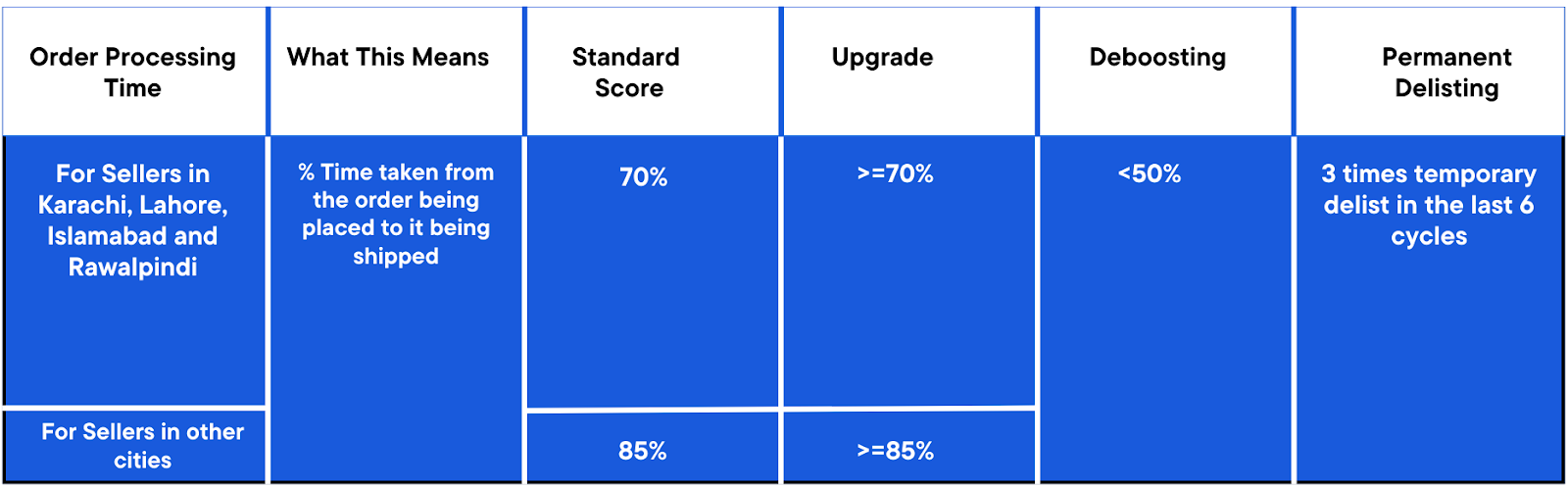
How To Avoid Delays in Order Processing?
- Manage your inventory: This includes practising effective stock management to avoid situations where a customer orders a product that is out of stock.
- Stock up on packaging material: Pre-ordering all packaging material you may need can help you process orders on time.
- Prepare for campaigns: Be prepared for campaigns and shopping seasons when there is a high influx of orders.
- Act fast: The key to avoiding delays is to process, pack, and ship orders quickly.
How to RTS Pending Orders?
Ready To Ship (RTS) refers to the items which are ready to be dispatched after order placement. The additional days required to deliver the item to your doorstep now depends on Daraz Express (DEX).
Steps on how to RTS:
- Login to Seller Center.

- In the Order tab, click on Manage Orders
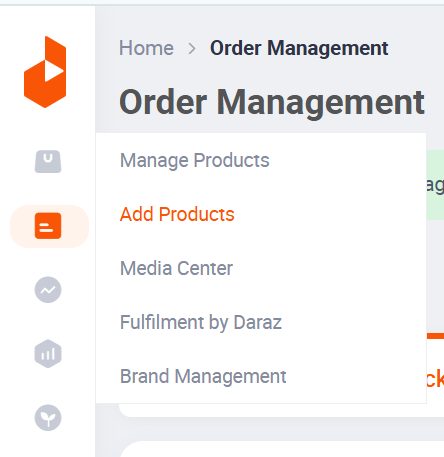
In the Order Overview tab, the seller can view the orders according to the following categories:
- All
- Pending
- Ready to Ship
- Shipped
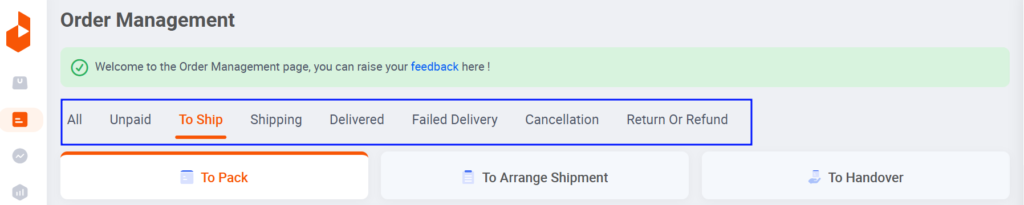
Seller can also search the orders by:
- Order No.
- Product Name
- Customer Name
- Product SKU
- Payment
- Start Date – End Date
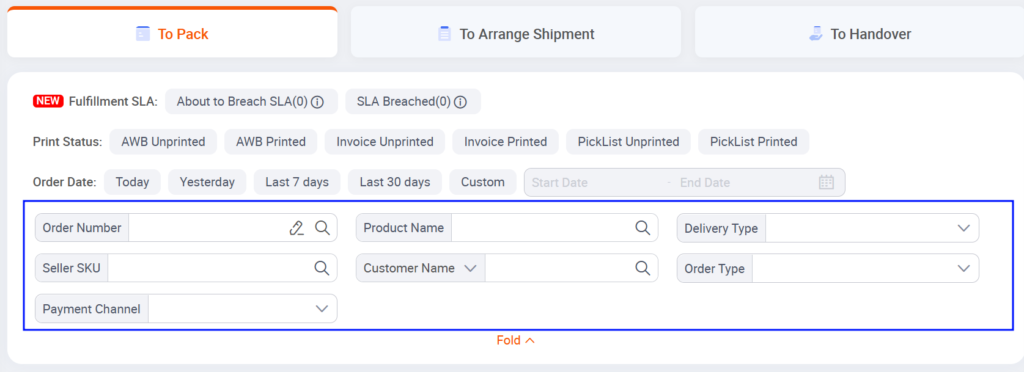
Selecting from the drop down options: Sellers can import all orders or all pending orders. They can also update all pending orders through a template. A sample template can be downloaded if needed.
Using the template: To use the template, you just need to fill in the tracking number and upload it through CSV. The drop down options available in the template are delivery type and shipping provider.
Finally, the sellers can RTS through the Action section.
- On the Orders Overview page, find the order you want to return.
- Select “RTS” from the menu: A pop up window will appear.
- Fill out the pop up window:
- Enter a reason for returning the order. You can choose from:
- Out of Stock
- Wrong Price or Pricing Error
- You can also create an invoice number (optional).
Click “Save”: The invoice will be saved to your list of orders on the Orders Overview page.
Important:
Do not cancel items/packages that are already handed over to the courier.
You might not get the protection hack or guarantee pad for this product if you cancel and Daraz will not compensate for such packages.
Cancelling an order can negatively affect your seller performance.
I hope this is helpful!